Available now
For Shopify stores
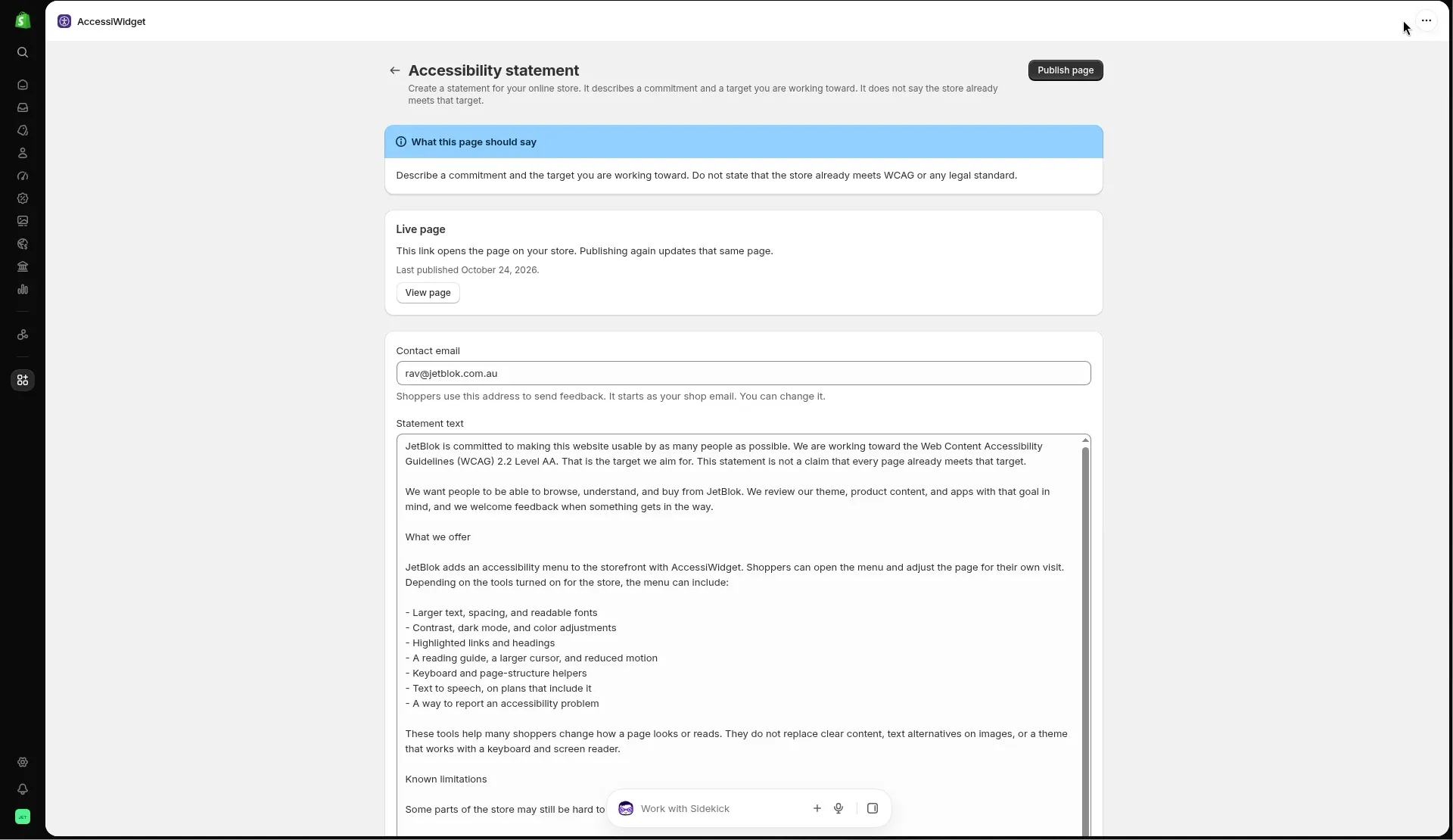
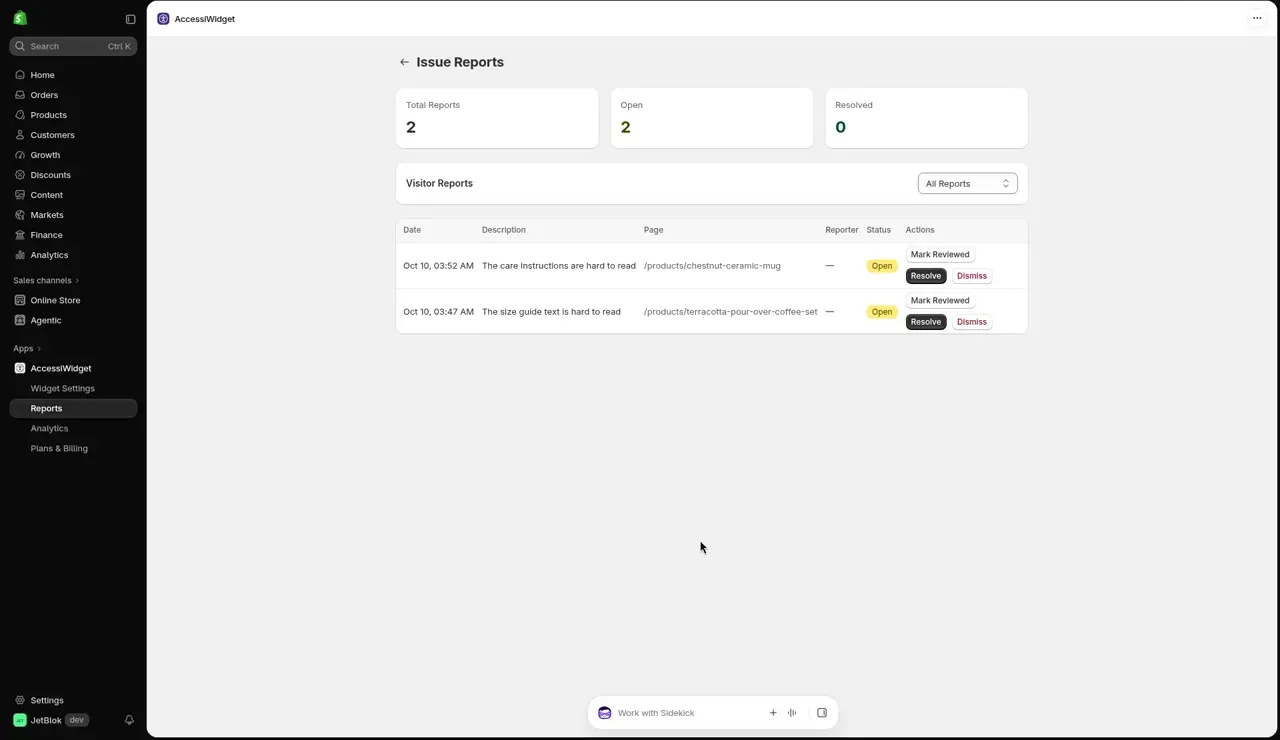
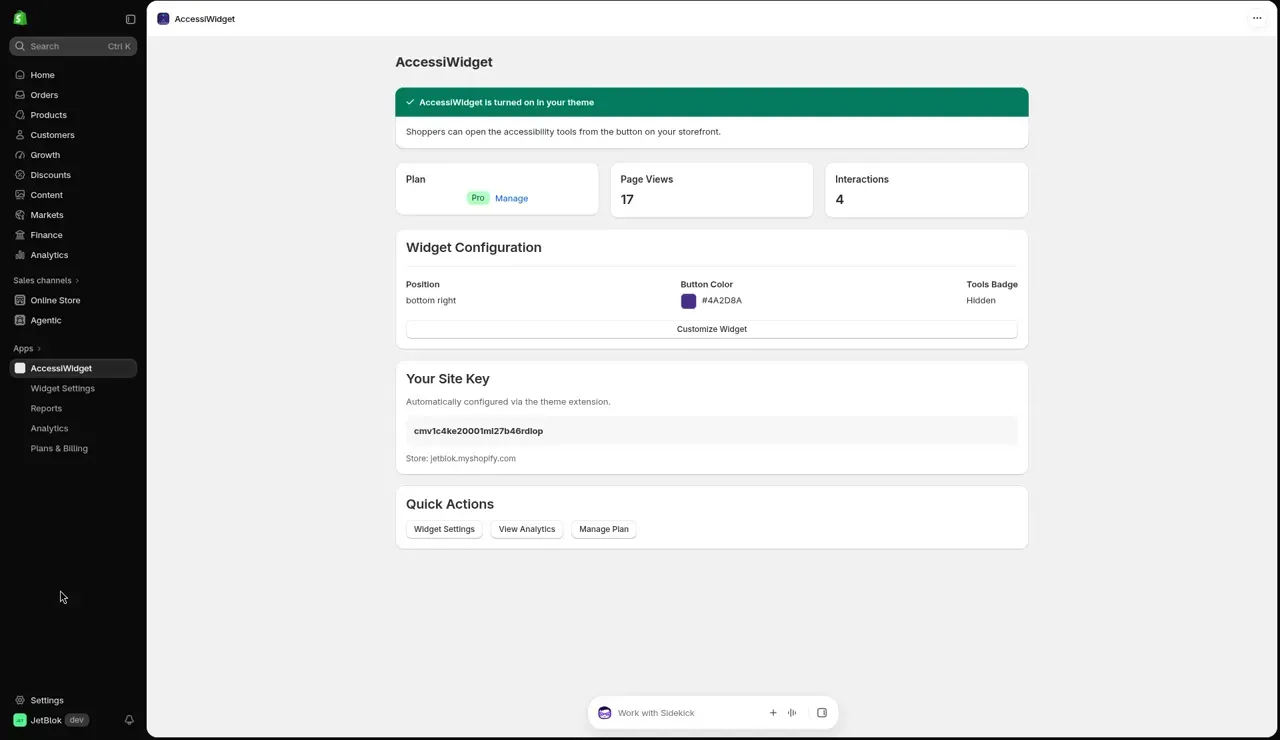
Install from the Shopify App Store, turn on the theme app embed and the menu appears on your storefront. Includes store scan, statement page and shopper reports.
Accessibility menu for Shopify stores
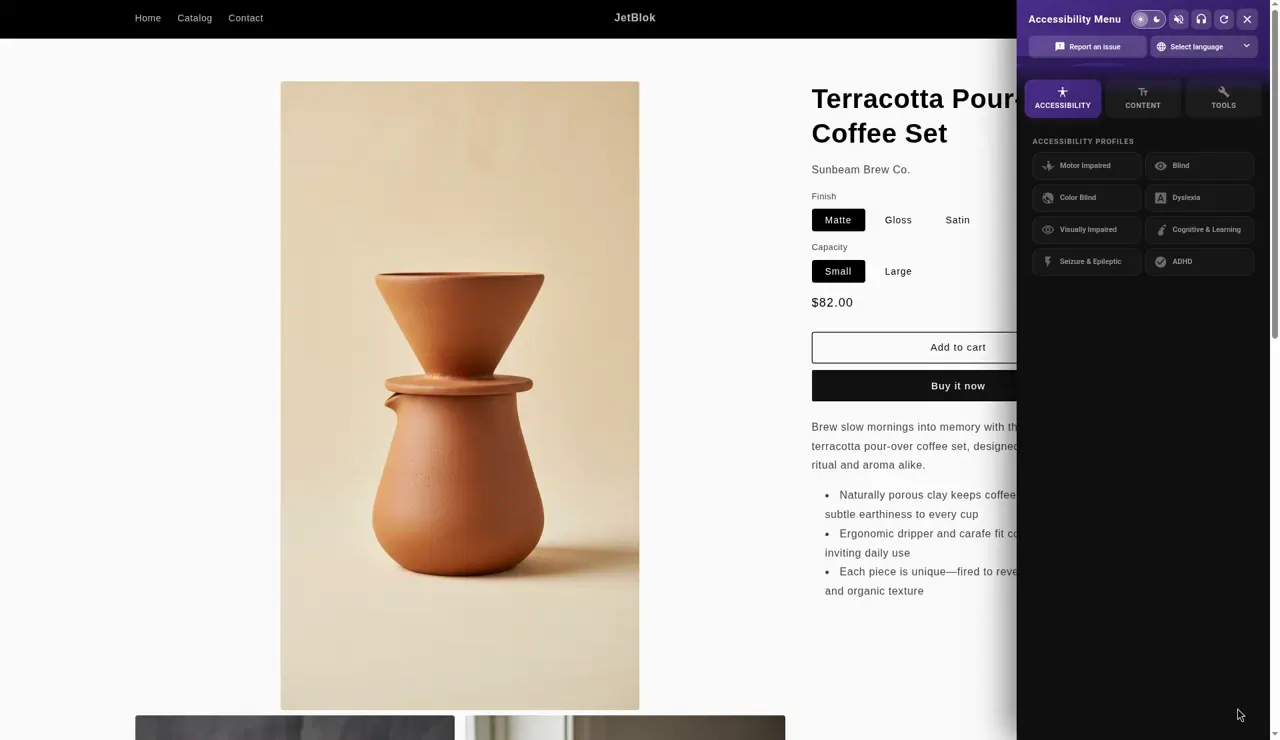
AccessiWidget adds a calm, friendly menu to your store. Shoppers can enlarge text, lift contrast, switch fonts, pause motion and more, then keep shopping.
17 languages. Preferences stay on the device. No page view limits.
Through other eyes
Pick a lens to simulate a common barrier, then switch on AccessiWidget to see which tool helps.
Choose a lens
Low vision blur
Fine detail softens and small text runs together. Move the magnifier to read one spot up close.
Simulations are approximations for empathy, not medical models. Real experiences vary from person to person. The magnifier follows your pointer or the arrow keys. On a touch screen it sits above your finger.
Harbour and Pine
Tidewater Stoneware Jug
$68.00Was $84.00Sale
In stock and ready to ship
Glaze: Sea glass
Hand thrown in small batches on the coast, with a glaze that pools darker where it gathers. Holds a litre of water or a generous armful of gum leaves.
Size and care guideCare: 22 centimetres tall. Dishwasher safe. Each piece varies slightly in colour and shape.
Use the arrow keys to move the lens while focus is inside this demo.
Want every lens in one place? Open the full simulator
Before and after
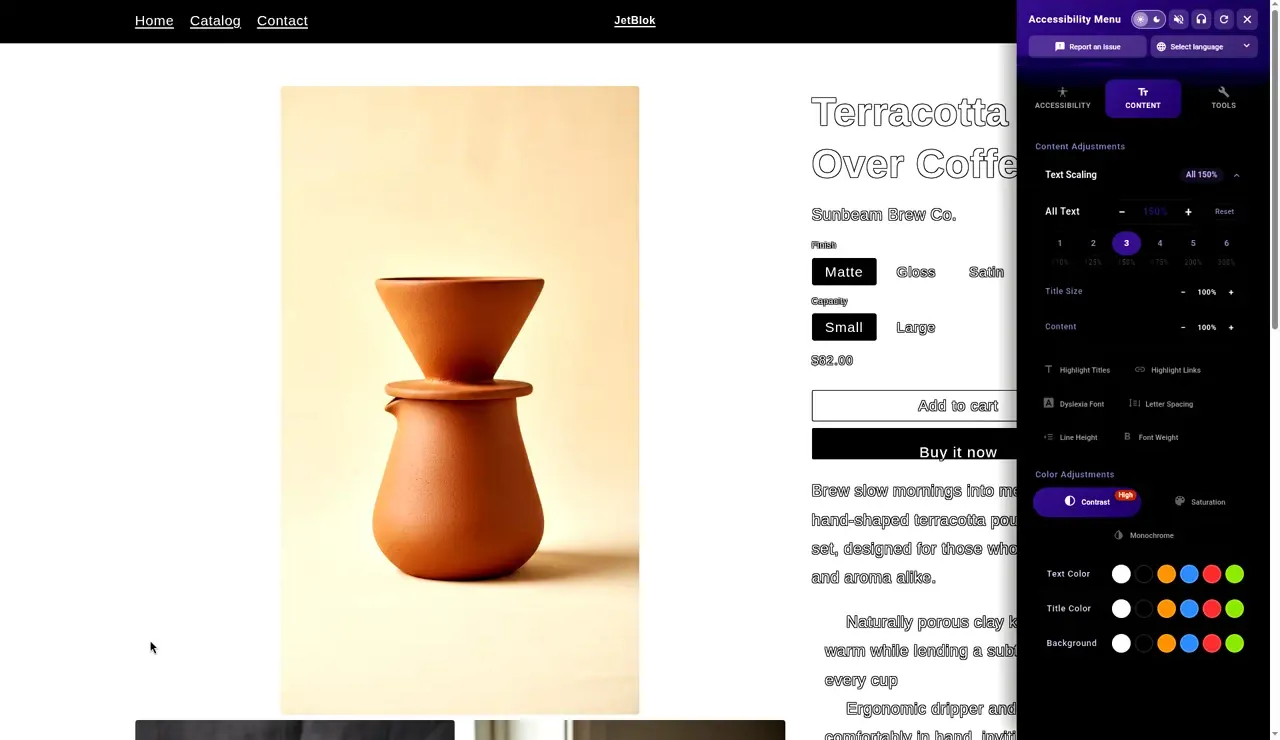
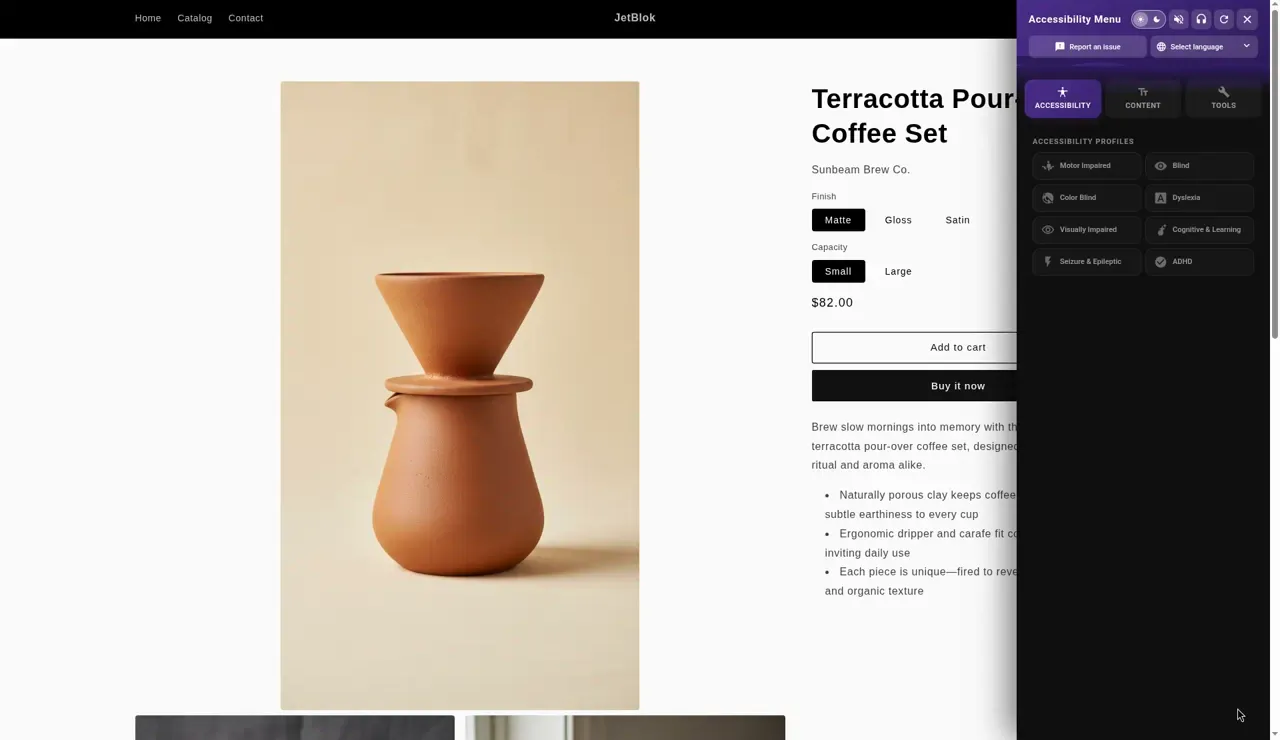
Drag the handle, or use the arrow keys, to compare a real storefront before and after a shopper turns on larger text and contrast.
Two paths
Available now
Install from the Shopify App Store, turn on the theme app embed and the menu appears on your storefront. Includes store scan, statement page and shopper reports.
Coming soon
A single script tag for sites built on other platforms. It is not ready yet. Email us and we will let you know when it is.
Feature wall
Hover over a tile, or move to it with the Tab key, to watch what it does. Each chip shows the plan that includes it.
Scales every word up so small print stops being a barrier.
Enlarges headings so shoppers can scan a page quickly.
Enlarges content blocks and buttons together.
Sharpens the difference between text and background.
Swaps bright pages for a calmer dark view.
Removes colour for shoppers who find it distracting.
Softens or strengthens colour intensity.
Lets shoppers pick a text colour they read well.
Sets heading colour independently of body text.
Tints the page background to reduce glare.
A larger pointer that is easy to find and follow.
Switches to a typeface many dyslexic readers prefer.
Adds room between letters so words hold their shape.
Opens up lines so the eye does not slip between them.
Makes thin type heavier and easier to read.
Outlines headings so page sections stand apart.
Marks every link clearly, without relying on colour.
Reads page text out loud in the browser.
A soft band follows the pointer to hold your place.
Freezes moving banners, sliders and effects.
Removes images for a quieter, text focused page.
Shows how the page is organised so shoppers can jump to a section.
Helps shoppers who move through the store with a keyboard.
Extra support for shoppers using a screen reader.
Browse with spoken commands in supported browsers.
From English and Punjabi to Japanese and Dutch.
The panel mirrors for Arabic and other right to left text.
Profiles
Profiles bundle the tools that tend to help together. Pick one to see it change the demo card, then fine tune any single tool.
Included on Starter and Pro
Dyslexia profile
Calmer letterforms with more breathing room.
In this demo it switches on
The tools each profile switches on in your store may differ slightly from this demo.
Harbour and Pine
Tidewater Stoneware Jug
$68.00Was $84.00Sale
In stock and ready to ship
Glaze: Sea glass
Hand thrown in small batches on the coast, with a glaze that pools darker where it gathers. Holds a litre of water or a generous armful of gum leaves.
Size and care guideCare: 22 centimetres tall. Dishwasher safe. Each piece varies slightly in colour and shape.
For merchants
Everything you need to look after the menu lives inside Shopify admin.
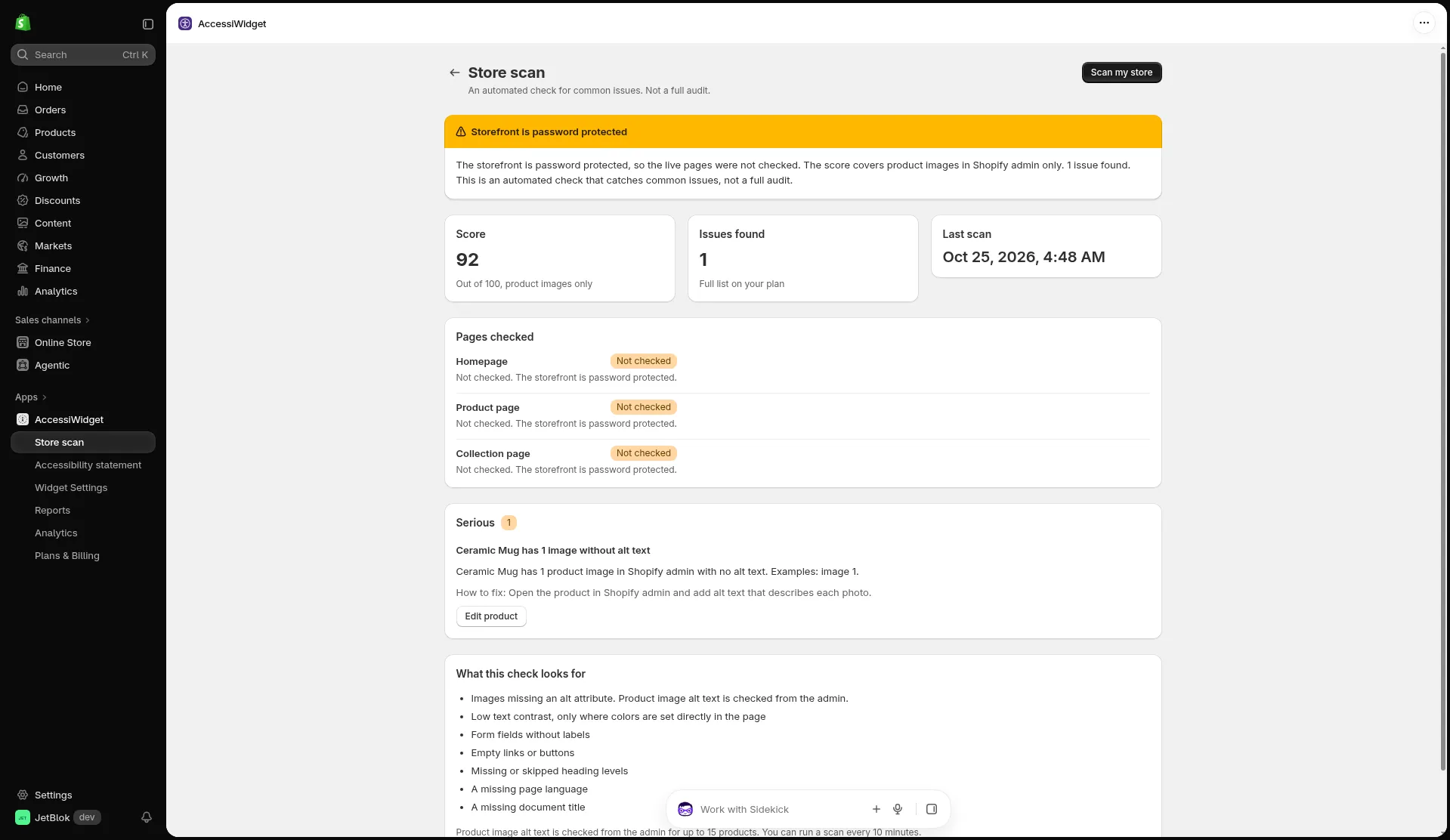
Scan your store for things like missing alt text, unlabelled form fields and skipped heading levels. It is a helpful starting point, not a full audit.
Install in four steps
Step 1
Add AccessiWidget from the Shopify App Store. The free plan needs no payment details.
Step 2
Open your theme editor, find App embeds and switch AccessiWidget on, then save.
Step 3
Choose the button position and colour, and the profiles and tools you want to offer.
Step 4
Visit your store, open the menu and try a few tools to see them working.
17 languages
Choose a language to preview the panel. Arabic flips the whole layout to read right to left.
Panel language
قائمة إمكانية الوصول
Right to left layout: the panel mirrors for Arabic.
Our honest promise
Accessibility comes from good design, clear content and real testing. AccessiWidget sits on top of that work and gives shoppers more control. Here is exactly where the line is.
Pricing
Every plan has no page view limits. Paid plans include a 14 day free trial.
30% off for life on paid plans. Launch offer, see App Store for current terms.
The core shopper toolkit at no cost.
$0USD
No charge
Shopper tools
Reading and navigation help for more shoppers.
$4.99USD a month
about A$7.60
14 day free trial
Everything in Free, plus
Insight and control for growing stores.
$9.99USD a month
about A$15.20
14 day free trial
Everything in Starter, plus
Prices in USD as on the Shopify App Store. AUD is an estimate, billed in USD by Shopify. No page view limits on any plan.
Questions
Something else on your mind? Email [email protected] or browse all questions.
No, and no widget can. AccessiWidget helps visitors adjust how your store looks and reads, which means more people can read, browse and buy. Meeting a standard depends on your theme, your content and real testing. We recommend an accessibility review and, where you need it, legal advice.
Shoppers open the panel from a button on your storefront and change text size, contrast, dark mode, spacing, fonts, colours and more. They can also pick a profile, such as dyslexia or seizure safe, that switches on a group of tools in one tap.
In the visitor’s own browser. Their choices stay on their device and come back when they return to your store.
No. There are no page view limits on any plan, including Free.
The panel is available in 17 languages: English, Punjabi, Hindi, Spanish, French, German, Portuguese (Portugal), Italian, Japanese, Korean, Chinese Simplified, Chinese Traditional, Arabic, Russian, Turkish, Polish and Dutch. Right to left layout is supported.
The scan checks your home, product and collection pages for common issues and gives you how to fix tips. The Free plan shows the top 3 issues and paid plans show the full list. It is an automated check, not a full audit.
Yes. Starter and Pro come with a 14 day free trial, and the Free plan costs nothing. Prices are in USD and billed by Shopify.
A version for any website, added with one script tag on WordPress, Wix, Squarespace, Webflow or plain HTML, is coming soon. It is not live yet. Email us to register interest and we will let you know when it is ready.
Start on the free plan. Upgrade, downgrade or remove it whenever you like.